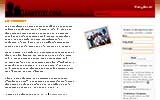
 First of all, thank you to everyone of before and now who have supported my Websites Made Simple blog ever since it started back in 2003. It’s been a solid 4 years of blogging for me and I never expected it to be that long.
For those who know, this blog was always a personal space for me to share my opinions. However, time passed and I began to realize my love for Malaysia web design and development was more of my passion. Hence, the change of focus and soon enough I was writing more and more articles about web design and development for the Malaysia scene.
On the other hand, I will not be taking any credit for this new blog design here. Because this layout was not designed or developed by myself. The full credit should go to Brian Gardner for designing and developing this great theme; Whitespace.
The Whitespace WordPress theme was a layout I had decided to upgrade few weeks back. I didn’t want to introduce the new theme as I was tweaking it behind the scenes. I needed to make some minor amendments to it so it would fit the websites made simple blog better. Till today, it is still only 95% complete but it’s looking like a very satisfying upgrade from Simpla and Dropshadow for me.
I’m seeing this new 3-column websites made simple layout as the next level of maturity for this blog. With the constant content I have been producing, I believe this 3-column does it justice. I’m really happy with this new theme. *sniff*
The decisions I have made with this blog is:
- Brand it stronger with a large header space
- Use the left sidebar to focus on content
- Add photo of myself (finally huh…)
- Use the right sidebar for advertisements
- Allocate reserved advertising space for Malaysia businesses only!
- Browse archives by (old) months in the footer
- Recommended books (I have read)
- And lastly, take the websites made simple content to the next level
Well, I hope you will enjoy this new layout too. If you have any suggestions or spotted any ‘bugs’ do get in touch with me.
Websites Made Simple; a simple Malaysia web design blog made readers. ;)
[tags]websites made simple blog, Malaysia, web design blog, Whitespace wordpress theme, blog advertising[/tags]
Looks good… but quite messy for a “blog” :P
I mean, since you didn’t enclosed the side columns, it looks like reading a newspaper/magazine for now :P
And, your favicon macam wordpress punya la. Put more “danny” essence into it! :D
btw, your picture really out of my expectation! :P
Very nice!
A bit too plain for my taste :p
Anyway, you might wanna consider text ads or embedded ads in your blog posts. By embedded ads i mean a little paragraph at the end of each blog posts that promotes some product. Why? All thanks to AdBlock..
Please ban flash though.. frankly, those are the first things I block immediately.. I find them way too distractive..
As the title said it, simple. Nice and clean layout.
Just some suggestion though. Add more color to make it a little “sparky” . Maybe the sidebar perhaps. Overall, much better than the previous layout.
Goodjob
And 1 more thing, if possible, redirect back to the page after going through the validation success page.
Thanks everyone for all the responses. :)
James:
Must be the black & white colours. I’ve made the favicon part of the blog once again. I thought the ‘W’ suited WMS but I guess WMS is really me. :)
As for the picture, what were you expecting? Some old man?
Jonathan:
I don’t mind my readers who use Adblock. Even I’m using it and I’ve enabled it specifically for my own blog because I want to know what ads are displayed. As for the ’embedded ads’, it would probably be better if there weren’t any ads even. :)
Steve:
You asked for it, you got it. I’ve always wanted to play with pink. I hope the pink headers on the sidebars are creating an illusion of ‘boxing’ up the content now. ;)
I did’t quite get your last comment there.
I mean, for the first time user who are commenting. They will need to go through the spam filter right? After submitting those number and alphabet, it will directly redirect to another page with the something like “Thanks for submitting etc etc. Your comment has been approved. ” If possible redirect this message from thanks for submitting etc to the page(where the articles belongs to) instead of user need to click the back button on browser.
It’s been awhile since I needed to do that so I didn’t remember about it. Anyway, I’ve found where the redirect is controlled but not too sure on how to edit it. I couldn’t find any guide on this so I’m going to see what I can get from the WordPress forums. :)
IMO, the left and right sidebar should be isolated from the main content, now looks like one whole piece. It is still viewable no problem.
Or maybe can try to add a faded gray background outside the content.
:D
I could actually add the gradients on either side, just that I’ll need to play with the padding a bit there. But I’ll get to it later. :)