It’s been a busy weekend and I had to restore the Apple iPhone back to its original state on Saturday. Although it may seem like a bad thing, there wasn’t too much trouble restoring the 1.0.2 firmware back onto the Apple iPhone. After the restoration, I found a very cool feature iTunes had included for the Apple iPhone. Whenever you sync your Apple iPhone, it keeps a last known saved status of your files without telling you. So when I was worried all data was lost, everything was actually restored back to when I used the Apple iPhone.
Anyway, I’m going to be sharing about mobile gaming on the Apple iPhone in Malaysia. As we know it, the mobile industry in Malaysia is a very high factor for monetary gain from games to the localization of applications like PacMee (a Twitter replica).
In order to be mobile gaming on my Apple iPhone, I was required to activate the Installer application. I couldn’t install anything at first but that was fixed very quickly with a program called iFuntastic. The iFuntastic application for Apple Mac OS X from iPhonealley.com is a dandy tool that enables you to customize your Apple iPhone interface, use custom ringtones, allows you to peek into your Apple iPhone files and unshackles the phone to use the Installer application.
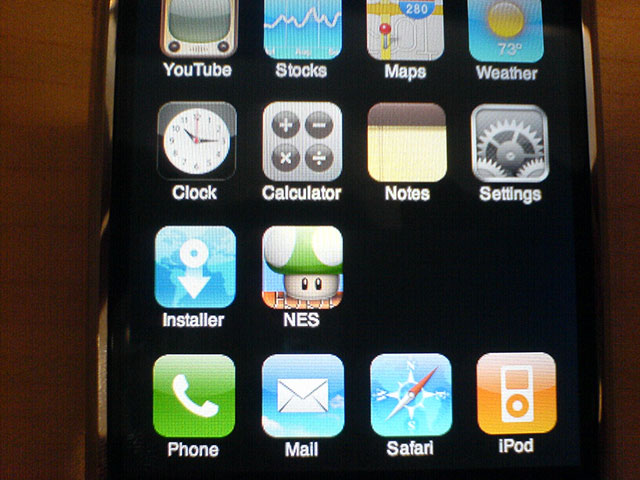 After the Installer application has been enabled, it was time to install the NES application. The NES application is a Nintendo games emulator for your Apple iPhone. Installation was a breeze by finding it in Installer, click on NES and install. You’ll see a progress bar below with several status like installing package, cleaning up and etc. It should take less than a minute depending how big is an application file and your Internet connection.
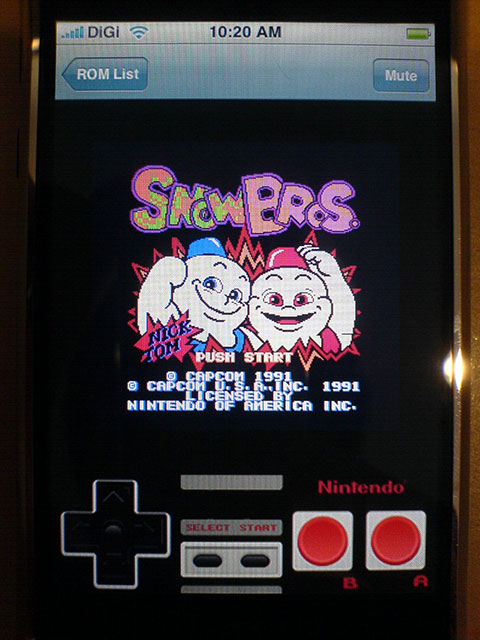 Once the application is in your Apple iPhone, it’s time to find for some vintage Nintendo games you remember. A quick search on Google for Nintendo ROMs will deliver to you a library up to 29,700 results. As for me, I found most of the games which brought back fond memories. They were:
- SnowBros
- Bubble Bobble 1 & 2
- Rampage
- Bomberman
I’m pretty sure I could fill up my games library with a ton of more historical stuff but having to go through the libraries without screenshots was time consuming.
In order to install these games, you’ll need to load the files into your /var/root/Media/ROMs/NES found in the Apple iPhone. With iFuntastic it was a matter of clicking File Manager and navigating to the required directory then dragging and dropping the .nes files. If you’re using a Windows PC, there are other Apple iPhone Windows supported applications like iBrickr.
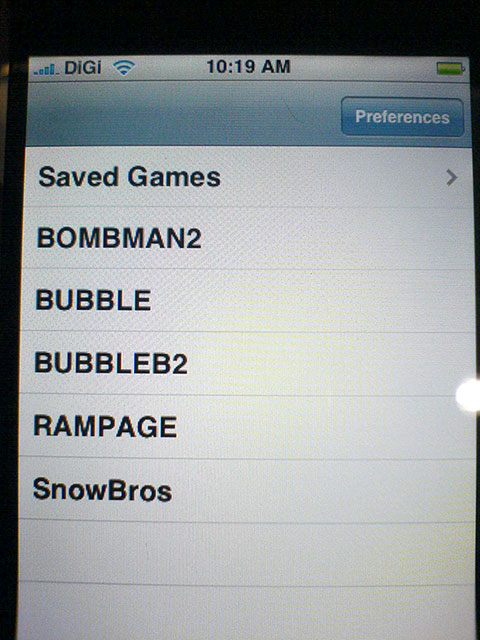 Once you’ve added the games into your directory, just click the NES icon and you’ll find a list of games in your Apple iPhone. I don’t have to guide you on how to play the games you want but I’ll just mention the two cool things about playing NES on the Apple iPhone. You can rotate the gaming experience from portrait to landscape easily and you can even save your games when you exit them (not by clicking the Home button, mind you).
 Besides NES games, you could install some games from the Installer list like iPong, iPhone Doom or others but trust me, they ain’t as fun. Not to mention I found the iPong game relatively slow in response.
As for the capable gaming hours of the Apple iPhone, I was at the mamak with some friends and all of them tried it out. Some playing videos, music, games and applications. Yet after our sit down for around 2 hours the battery was only a quarter gone.
One of the things though to note when gaming or using the Apple iPhone for prolong periods is it gets warm like an Apple MacBook. But thanks to the casing material it dissipates heat very well.
I’m very sure some of you may have thought you could play the Java games you downloaded or bought. Sad to say the Apple iPhone currently doesn’t support Java so there isn’t a way to play those games on it at the moment. On the other hand, word has been spreading around and some say we might see someone coming up with an emulator or application which would allow this but only time will tell.
As for me, I’m pretty happy living the SnowBros and Bubble Bobble times again. Plus it’s the Monday blues so there’s much work to be covered today. However, some great news is I’m going to continue maintaining the ownership of this Apple iPhone. So if you’d like to see it or buy it, let me know.
[tags]Apple iPhone, Malaysia, mobile gaming, iPhone games, iPhone ROMs, iPhone gaming[/tags]
Where is my iPhone review copy? haha… anyway, can I play DOOM on it? :)
Well, if you’re within Petaling Jaya we could meet up and I could let you play with it for awhile. As for Doom, I haven’t tried installing and playing yet. :)
Maybe you could try asking other resellers in Malaysia to loan you a unit. :P
Danny
You should also check out this free Safari game: Bejeweled
Just enter this to the Safari URL:
http://static.popcap.com/iphone/
Make sure you have wifi or edge access
Regards
Patrick
Woohoo! Bejeweled…
Too bad it can’t be downloaded and installed directly onto the iPhone. :P